¶ Schoology Parent Account Set-Up
McQuaid Jesuit utilizes a learning management system (LMS) called Schoology. Schoology is an online portal designed for schools that improves the nature and quality of communication regarding student learning and academic progress. Schoology affords access to:
• Course materials
• Homework assignments
• Test/quiz calendar
• Grades
Schoology will also serve as a hub of information for items such as daily announcements, our school calendar, guidance resources, extracurricular activities and Campus Ministry opportunities.
To set up a Parent Account on Schoology click on this link: https://app.schoology.com/register
-
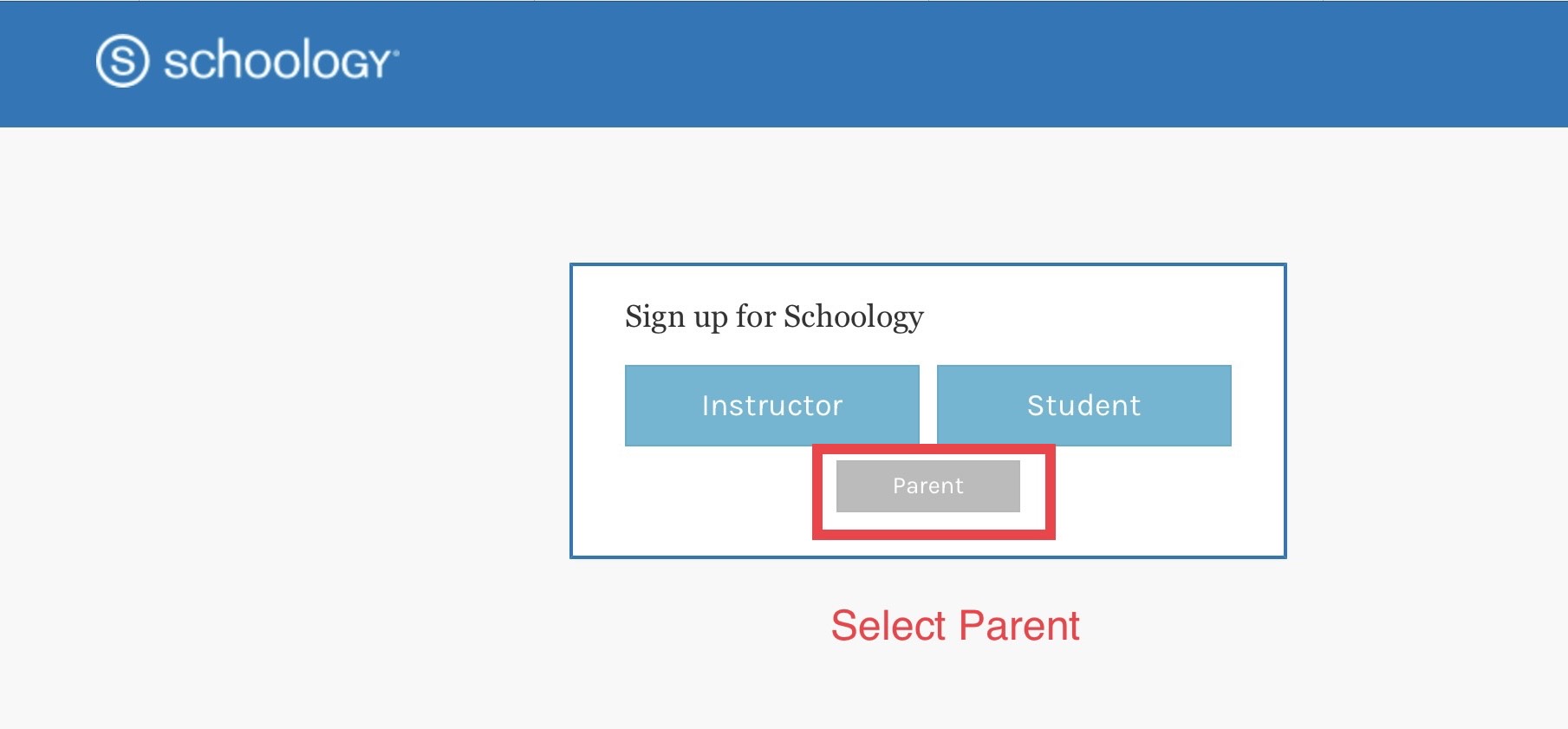
Click on the gray box that says Parent:
-
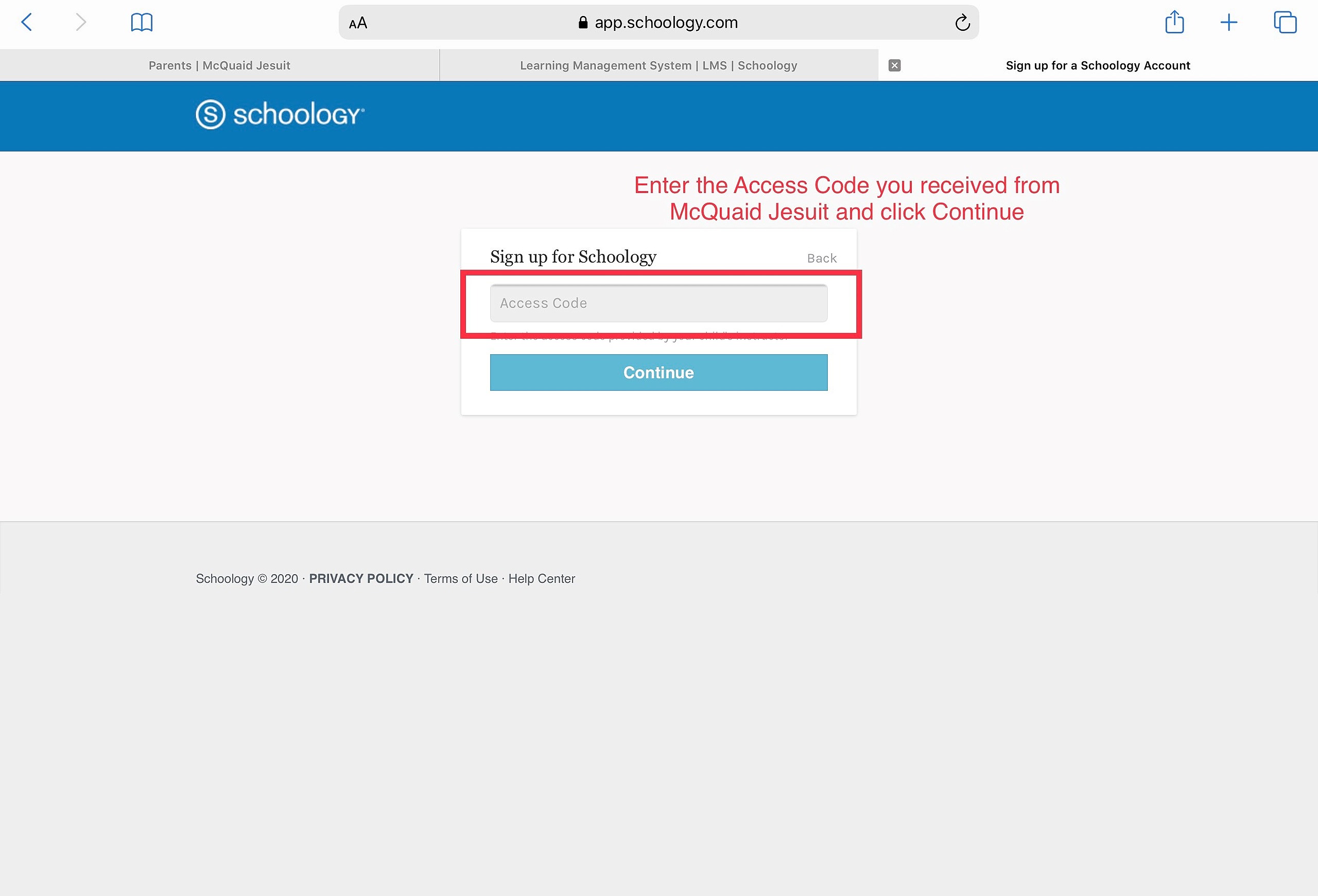
When the next screen opens, enter your parent access code provided by McQuaid
-
Access codes are specific to the student and connect the parent to their son's account. A student's parents may share the access code, but you should not share your access code with another parent. Have that parent contact help@mcquaid.org to receive their own access code for their son.
-
Click “Continue”:
-
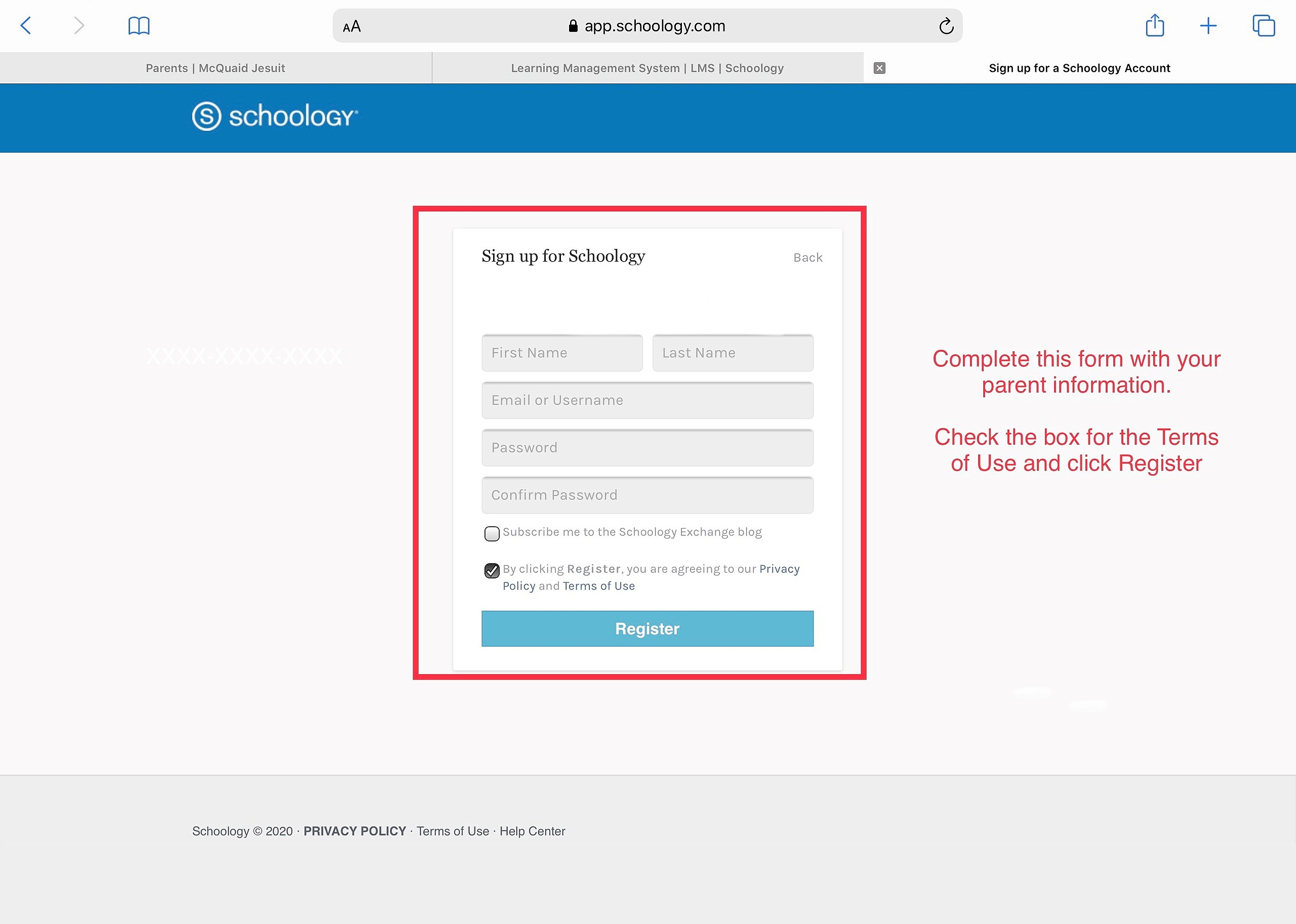
Complete the requested information and click “Register” to finish setting up your account.
Always make sure you access Schoology from the Parent Portal on our website. Should you have any questions or issues, please send an email to help@mcquaid.org
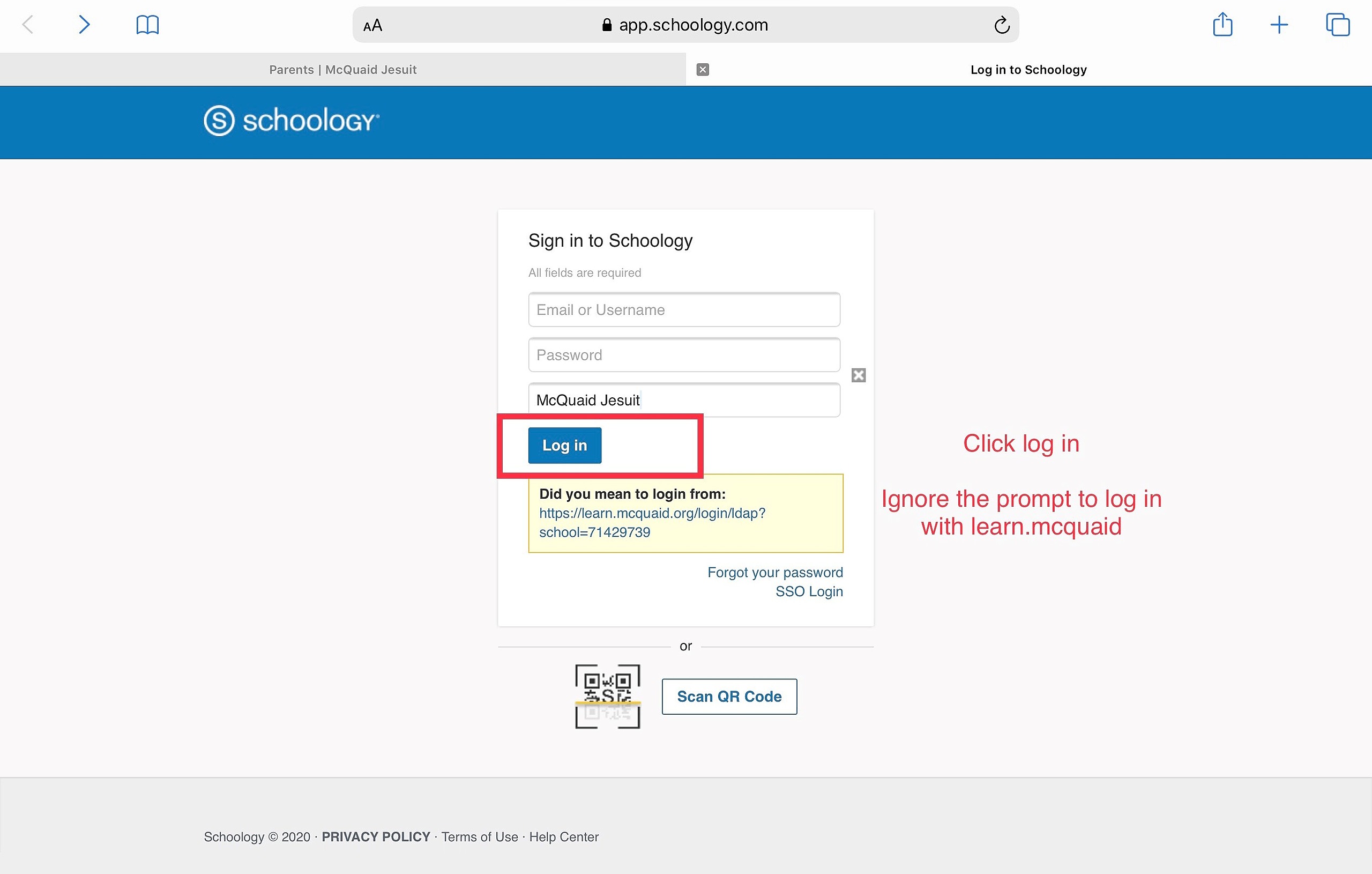
After your account is set up, you will log in with your username and password. You will need to select McQuaid Jesuit to link to our portal.
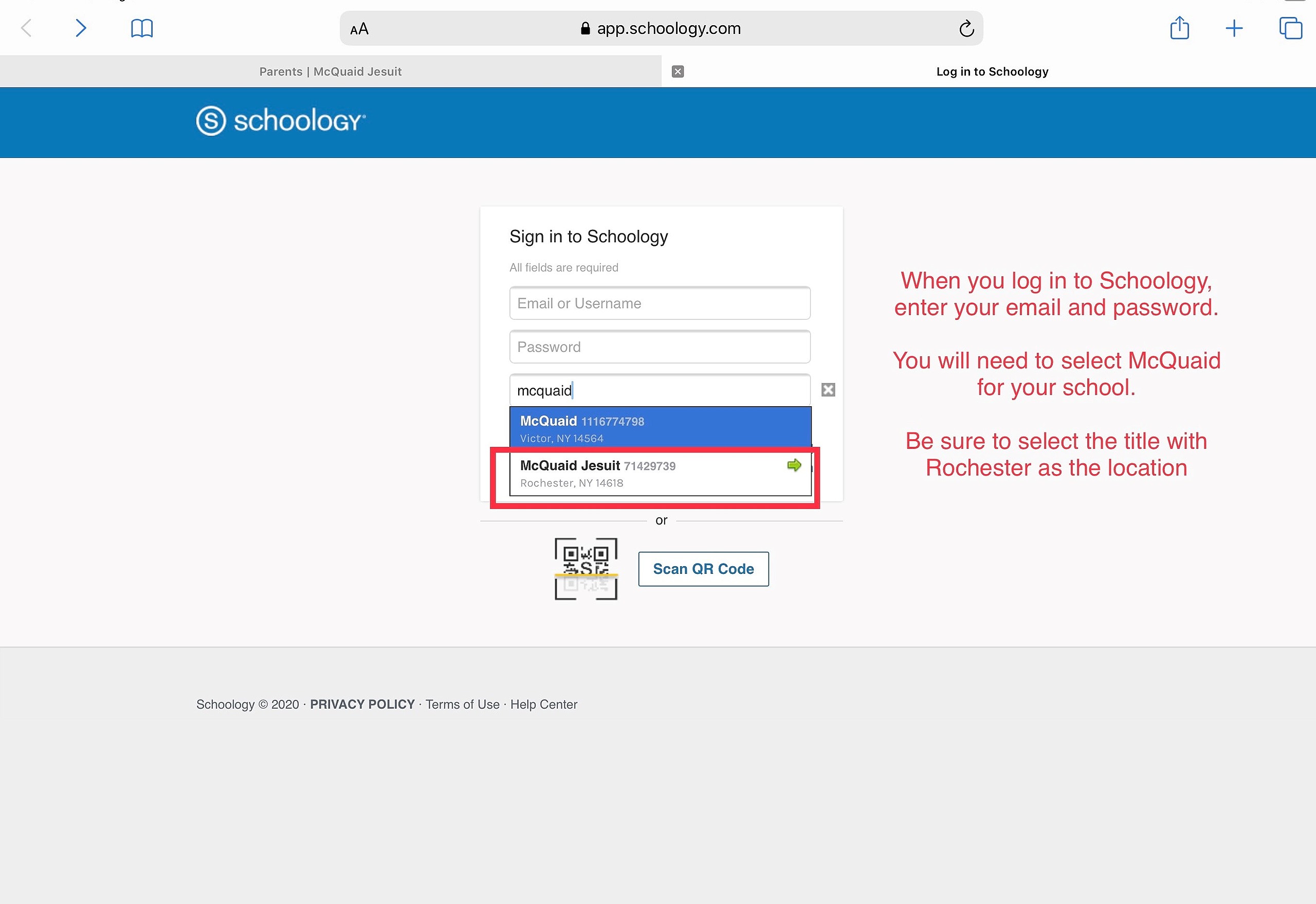
Parents log in differently from students. Ignore the prompt to log in with learn.mcquaid. Parents log in from app.schoology.com