¶ Managing Schoology Notifications
¶ Parent View
From the Parent view of your account, select Settings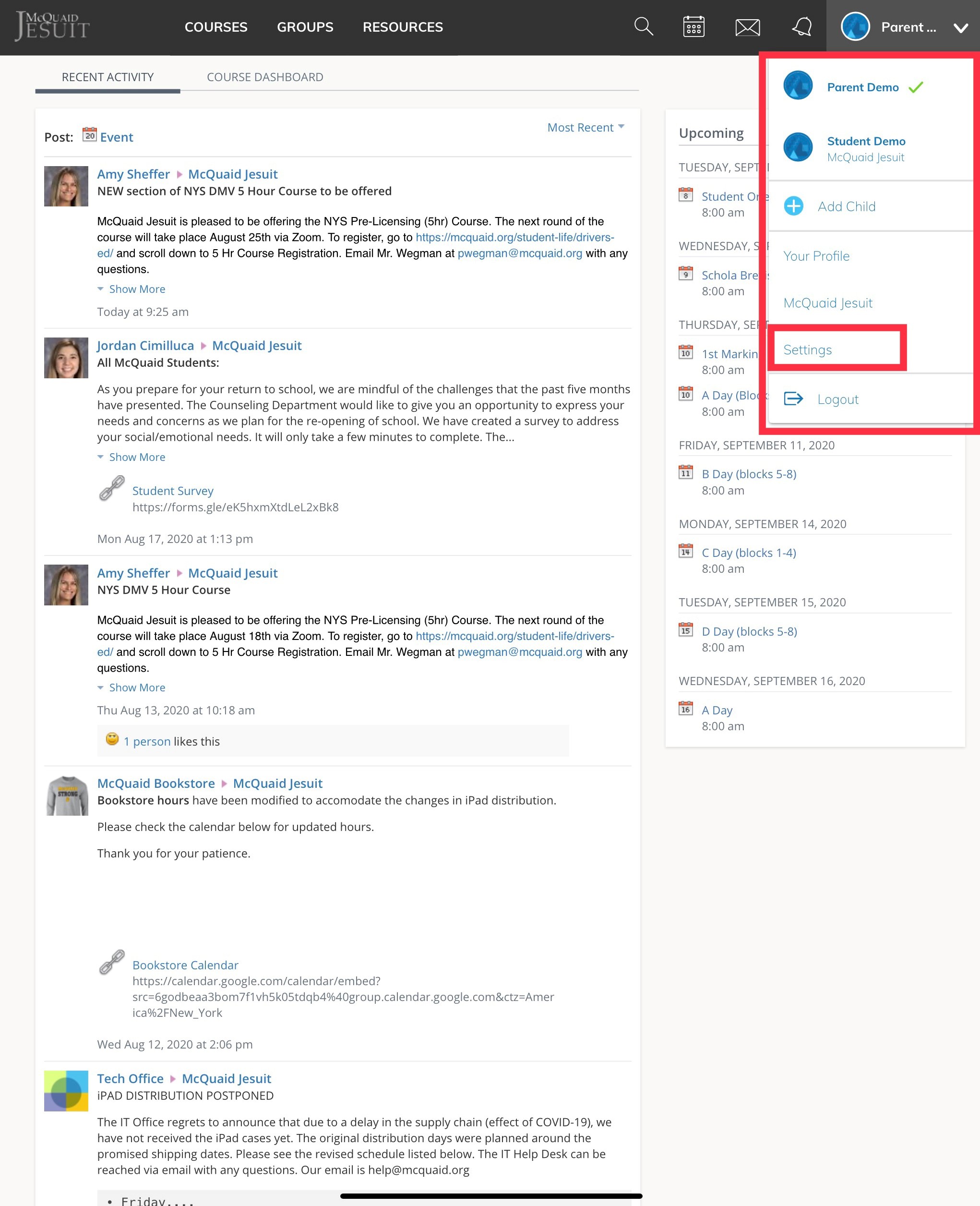
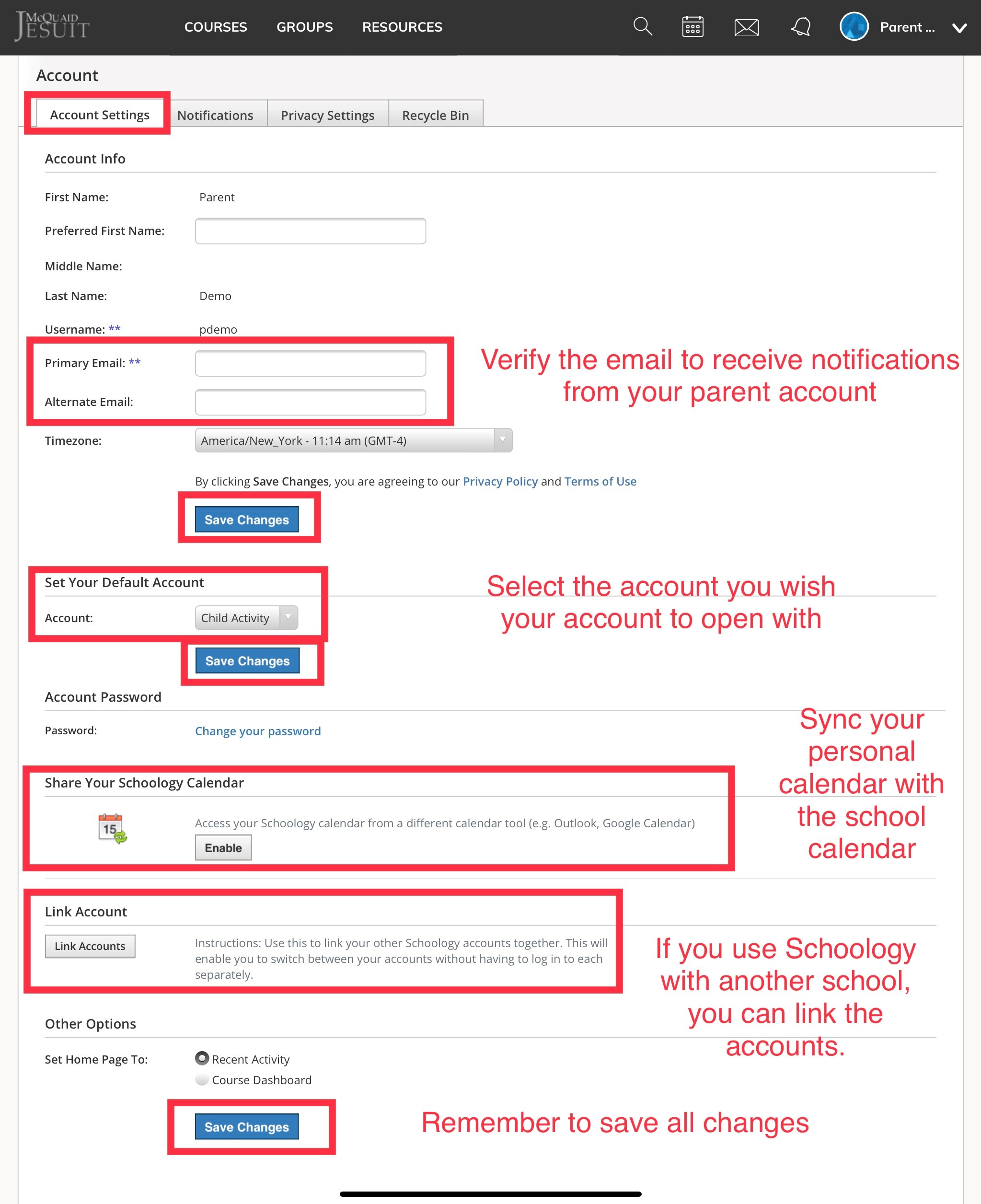
From Account Settings you can
- Verify your email
- Set the default account view
- Sync your calendar
- Link another Schoology Account
Remember to SAVE all Changes
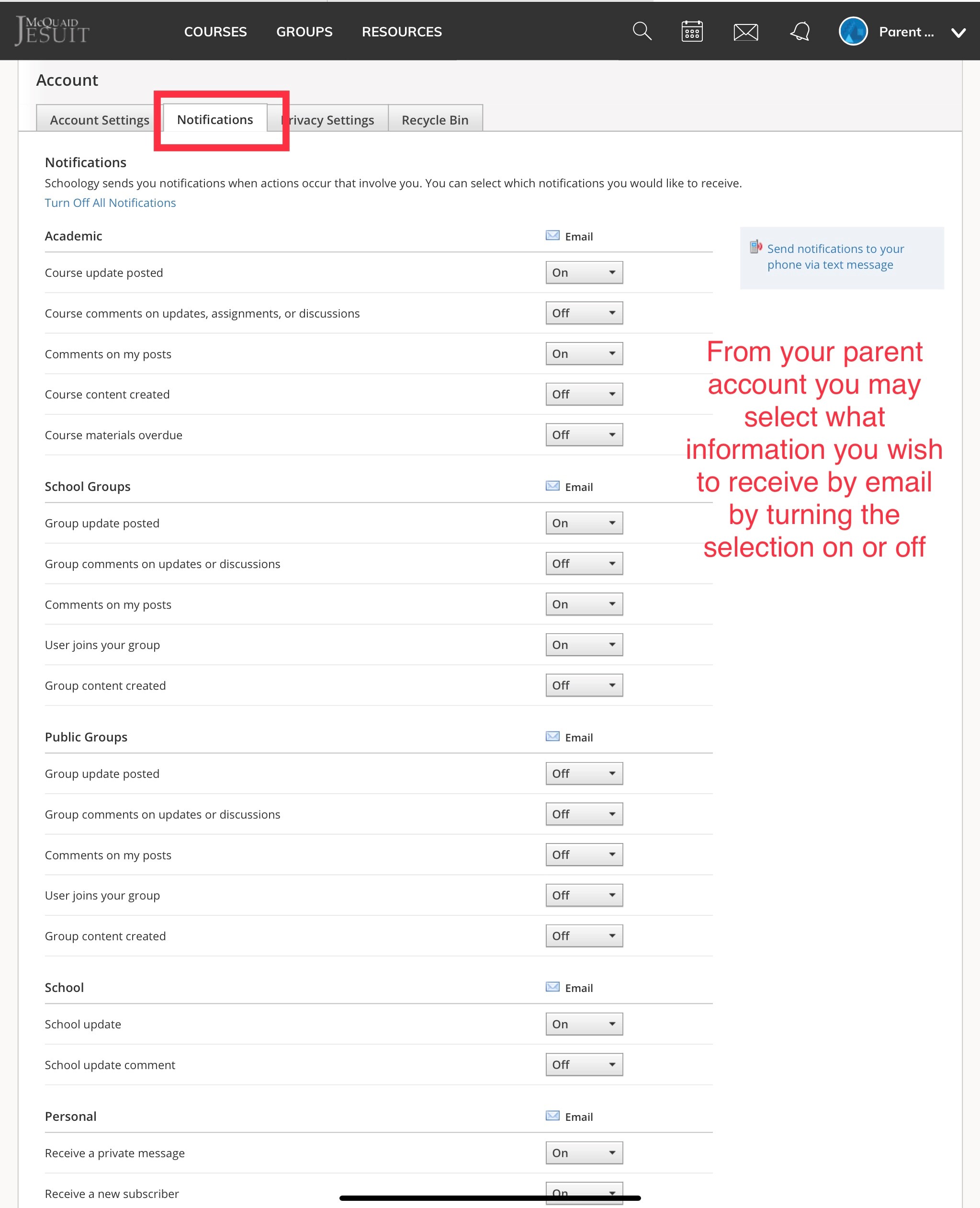
From the Notifications tab, you can select what information is sent to your email. Be sure to save all changes.
¶ Student View in Parent Account
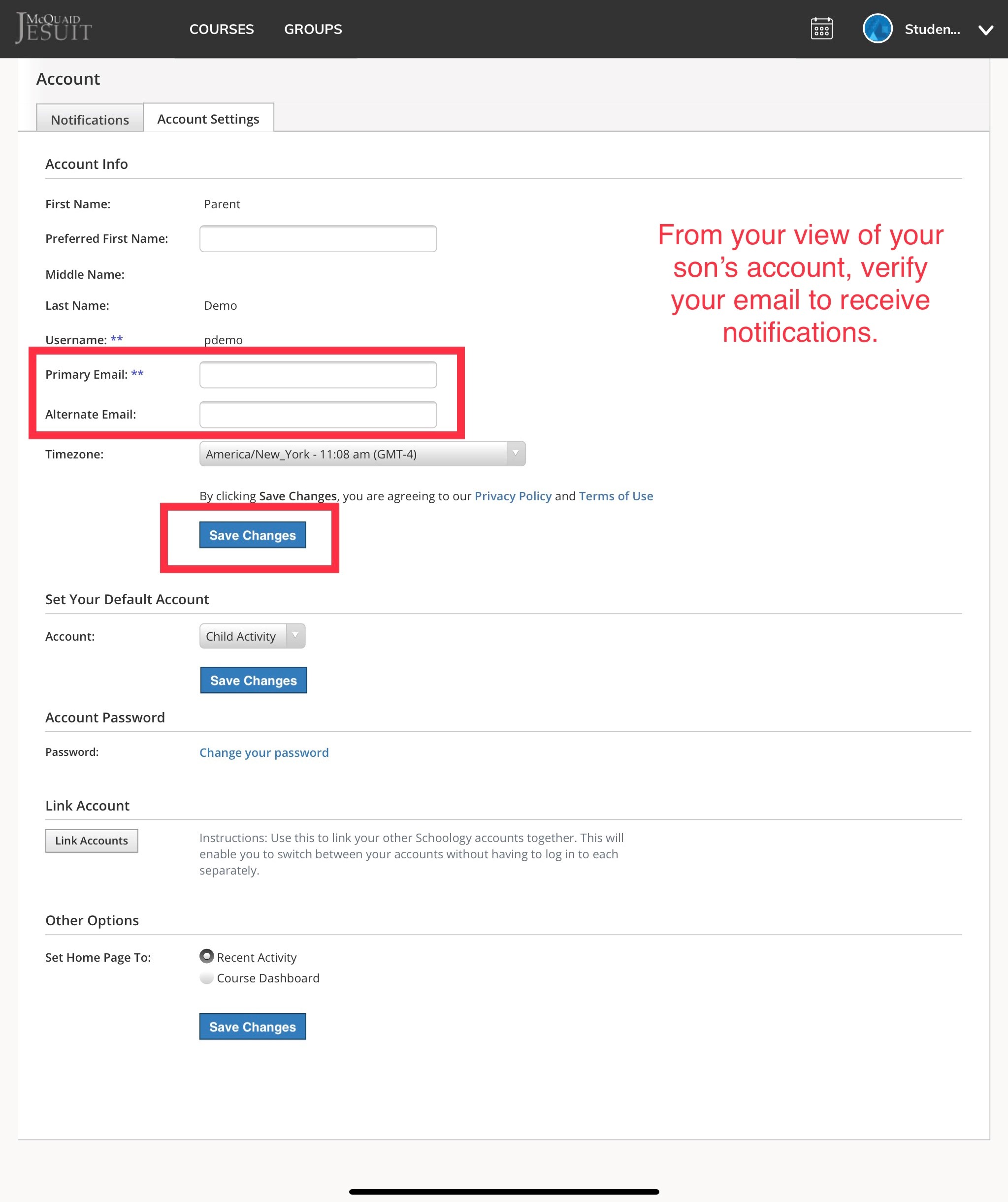
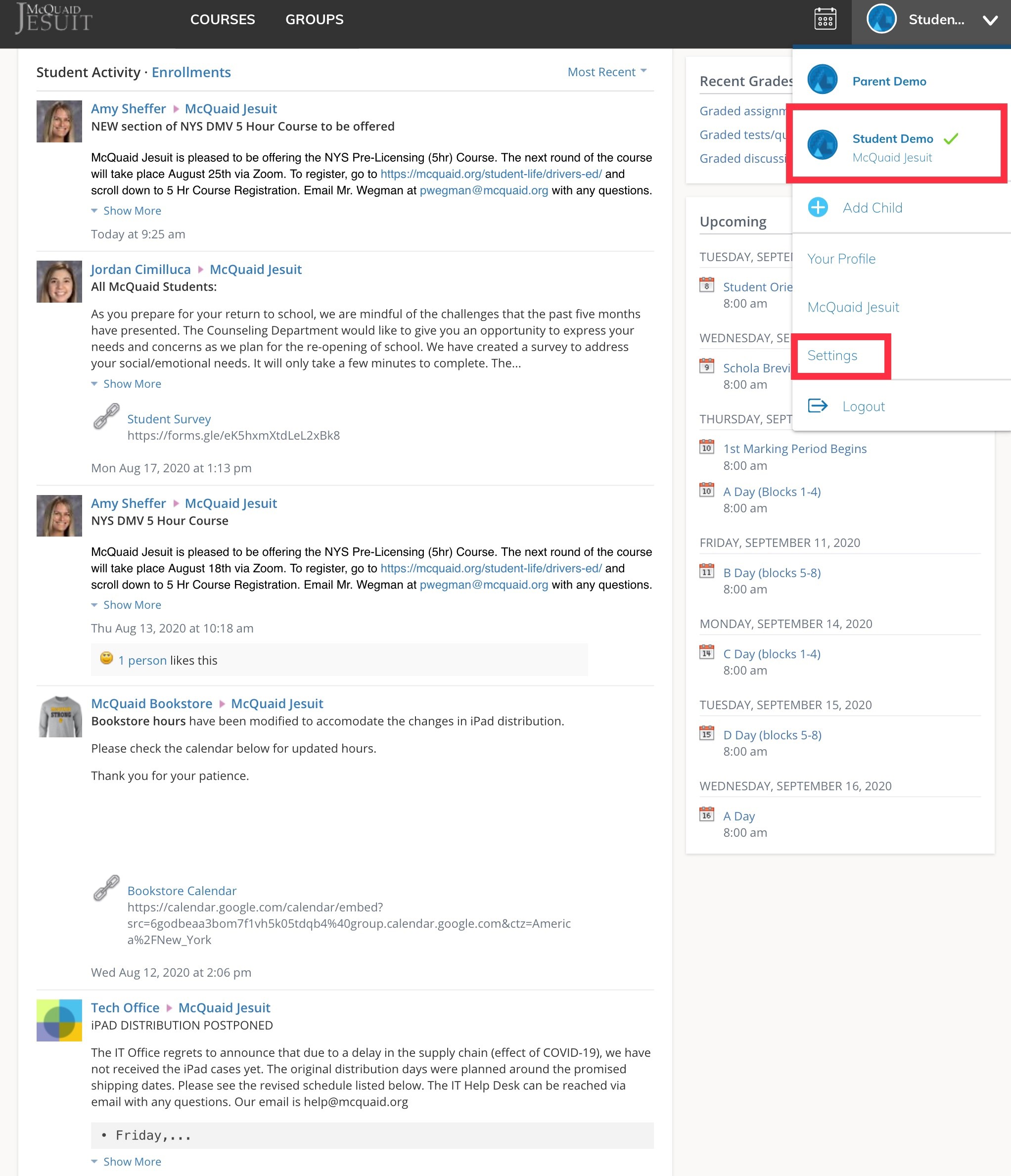
Select your son from the drop down list. This is the Student View from the Parent Account.
Select Settings
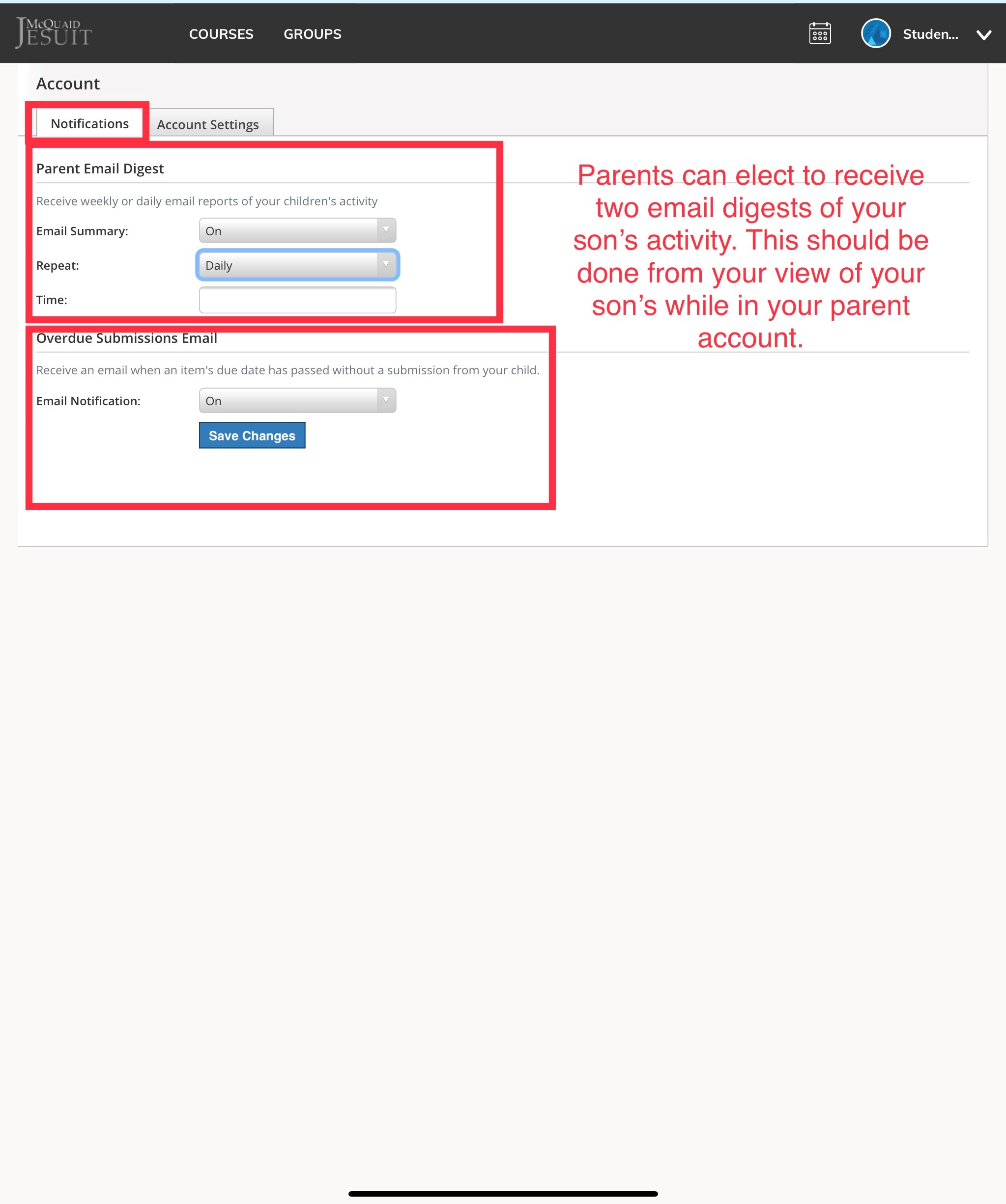
From the Notifications tab you can elect to receive email digests of your son's activity. This will include the morning announcements. Parents can select to receive these daily or weekly. To change your selections at a later date, return to this screen. Remember to save your changes.
From the Account Settings tab, verify your email address.