¶ How to Save iPad Photos as JPG or HEIC
By default, iPhones and iPads save in High Efficiency format, not in Most Compatible Format. Follow these instructions to toggle your iPad Settings back and forth.
Affects devices running iOS 11 or higher.
-
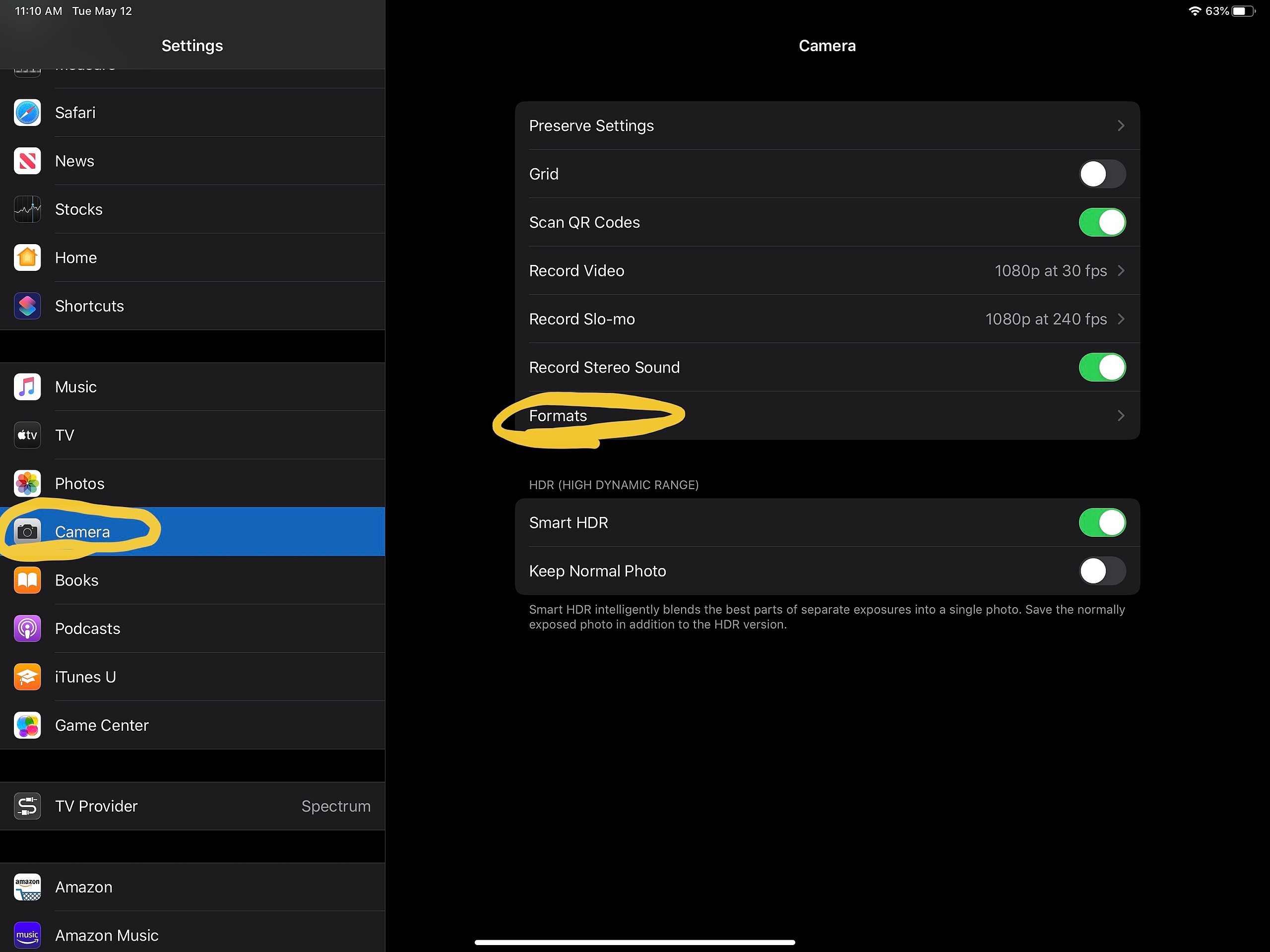
Navigate to iOS / iPadOS Settings and scroll down to "Camera"
-
Tap on "Formats"
-
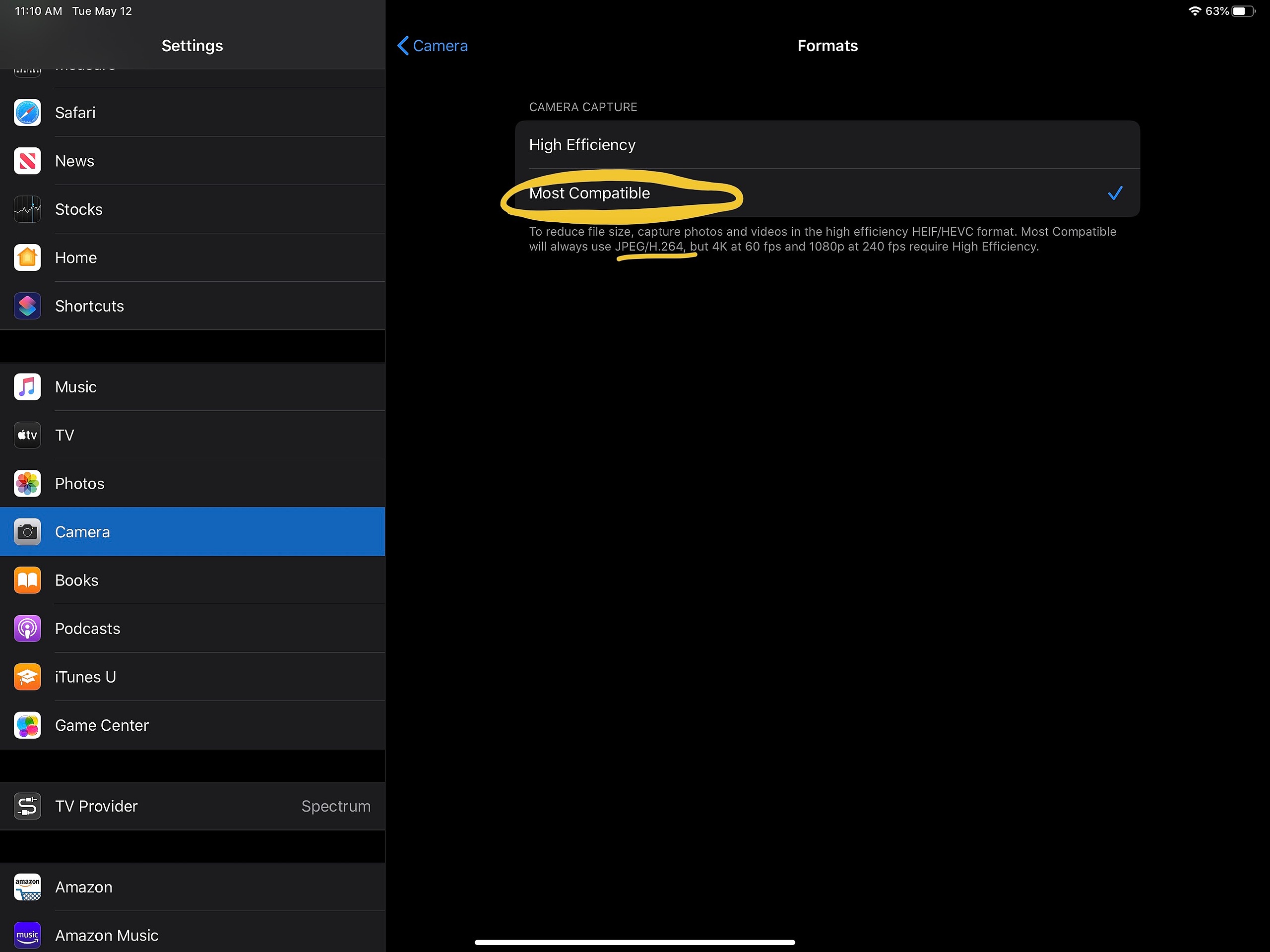
Tap on "Most Compatible" to save new photos and videos as JPG or H.264. Tap on "High Efficiency" to save photos and videos as HEIF or HEVC
-
Please note that 4K quality (if applicable to your device) requires High Efficiency to be active.